A Supermarket Manager's Playbook for Cutting Checkout Queues
This supermarket checkout queue playbook is for the manager who already knows the front end is the pressure point and wants a clear method to fix it. You have watched a line build at the wrong moment and seen a full basket left by the bread aisle. The frustrating part is that the fix is almost always about timing, not effort.
The approach is simple. Track two live numbers, queue length and wait time, set a threshold that opens a lane before the line gets bad, and use the weekly pattern to staff ahead of the rush. Everything here is measured from the cameras already over your tills, with no facial recognition and the video kept on-site.
Key takeaways
- Most checkout pain is a timing problem. Lanes open after the queue has built, by which point shoppers may have already abandoned a full basket.
- Track two numbers live, queue length and wait time, from the cameras already over your tills.
- Set a clear open-lane threshold, for example more than five people waiting or a four-minute wait, and fire an alert when it is crossed.
- Use historical queue patterns to roster ahead of recurring peaks instead of reacting to them.
- CountPort runs on your existing checkout cameras with body-only detection and keeps video on-site.
Why checkout queues cost more than you think
A shopper who abandons a full basket at the till is a direct, repeatable loss. They picked the items, walked the store, and queued. When they put the basket down and leave, that whole effort converts to nothing, and it happens most often during the hours you can least afford it.
The cost does not stop at one lost sale. A regular who waited too long this week remembers it next week. Groceries are a habit, and the store across the road is rarely far away. A bad queue nudges a loyal shopper elsewhere, which is harder to measure and more expensive over a year.
Most checkout pain is not a headcount problem. The cashiers are usually there. The problem is timing: lanes open too late, after the queue has formed and shoppers are doing the mental math on whether to stay. By the time a supervisor calls for a second till, the damage is partly done.
So this playbook is built around one idea. If you can see the queue building and act on a clear threshold, you open the lane before the line gets bad rather than after.
The two queue metrics that drive decisions
You do not need a wall of dashboards. Two numbers carry most of the decision.
- Queue length is how many people are waiting in the checkout area right now. It is the figure a shopper sees when deciding whether to join the line or leave the basket, and the easiest number for a supervisor to act on.
- Wait time is how long the average shopper waits before being served. This is the number that drives frustration and walk-aways, and it can climb even when the line looks short, if the lanes are slow.
The two together tell a fuller story than either alone. A long queue that clears fast is less dangerous than a short queue that barely moves. Watching both keeps you from opening a lane you did not need or missing one you did.
CountPort measures both from the cameras already covering your checkout zone. The system watches a defined queue area in the camera view. When a shopper enters the zone and stands in line, they count into the queue length, and the time from joining to reaching the till is the wait time. No new sensors, no ticket dispensers, no app. The queue feature page shows how this is timed, and How to Measure Queue Wait Time and Abandonment at the Checkout covers the wider method.
This is body-only detection. The system recognises the shape of a person in the frame. It does not run facial recognition and does not identify anyone. Draw the queue zone on the shopper side of the checkout, so cashiers at the till stay outside it.
Setting an illustrative open-lane threshold
A measurement only earns its keep when it sets off an action. For queues, that means picking a rule in plain terms and wiring it to a clear response.
State the rule the way you would say it to a supervisor. For example: when more than five people are waiting, or the average wait passes four minutes, open another lane. A rule a supervisor can repeat from memory is one that actually gets followed on a busy Saturday.
The right threshold is your call. It depends on your store size, your typical basket, and how much wait your shoppers tolerate. A small convenience format and a large weekly-shop superstore will land on different numbers. Set the five-and-four rule as a starting point, watch what happens, and tighten or loosen it once you see how your shoppers behave.
A real-time alert makes this work. When the queue crosses the threshold, the system can send an alert to a manager's phone or a screen at the service desk, prompting a named person to open a lane or call for backup. An alert with no owner gets ignored, so decide in advance who acts on it.
One honest note. These numbers are illustrative starting points, not a guaranteed result. How well the count tracks reality depends on camera placement, mounting height, lighting, and how crowded the area gets at peak. A camera looking down on a clear lane reads better than one at a shallow angle over a crowded aisle.
Reading the daily and weekly pattern
The live alert handles today. The history is what lets you stop firefighting altogether.
Over a couple of weeks, the queue data shows recurring peaks: the after-work rush, weekend mornings, the lunchtime spike near an office district. These patterns repeat, which means they can be planned for. Once you know the crunch is Saturday from eleven to one, you can have cover in place before the first line forms.
That is the move from reacting to planning. Instead of opening a lane after the alert fires, you roster more cashiers ahead of the known peak so the alert rarely fires at all. The live threshold becomes a safety net for the unusual day, not your main tool for the normal one. Matching cover to demand is the subject of Staffing to Footfall: How to Match Rotas to When Customers Actually Arrive.
The history also lets you check whether a change worked. Move a till, adjust a rota, or reroute the queue, then compare the numbers for the same hours across the weeks before and after. You get a clean before-and-after instead of a gut feeling.
For example, take a store with a sharp five o'clock spike every weekday. The manager shifts one cashier's break from five to four-thirty so that person is on a till through the peak. Same headcount, better timing. The point is the method, not the exact minutes: small, evidence-led timing changes often beat adding staff.
Balancing self-checkout and staffed lanes
A single queue figure for the whole front end hides where the real bottleneck is. Measure staffed tills and self-checkout separately, because they fail in different ways.
A self-checkout queue while staffed lanes move fine often is not about the number of machines. It is the single supervisor stuck clearing age checks, weight errors, and unexpected-item alerts. Adding machines does nothing if one person is the constraint on all of them. So if self-checkout waits climb while staffed waits are fine, the answer is a second attendant, not another till. If staffed waits climb while self-checkout is quiet, open a staffed lane or steer shoppers to the machines.
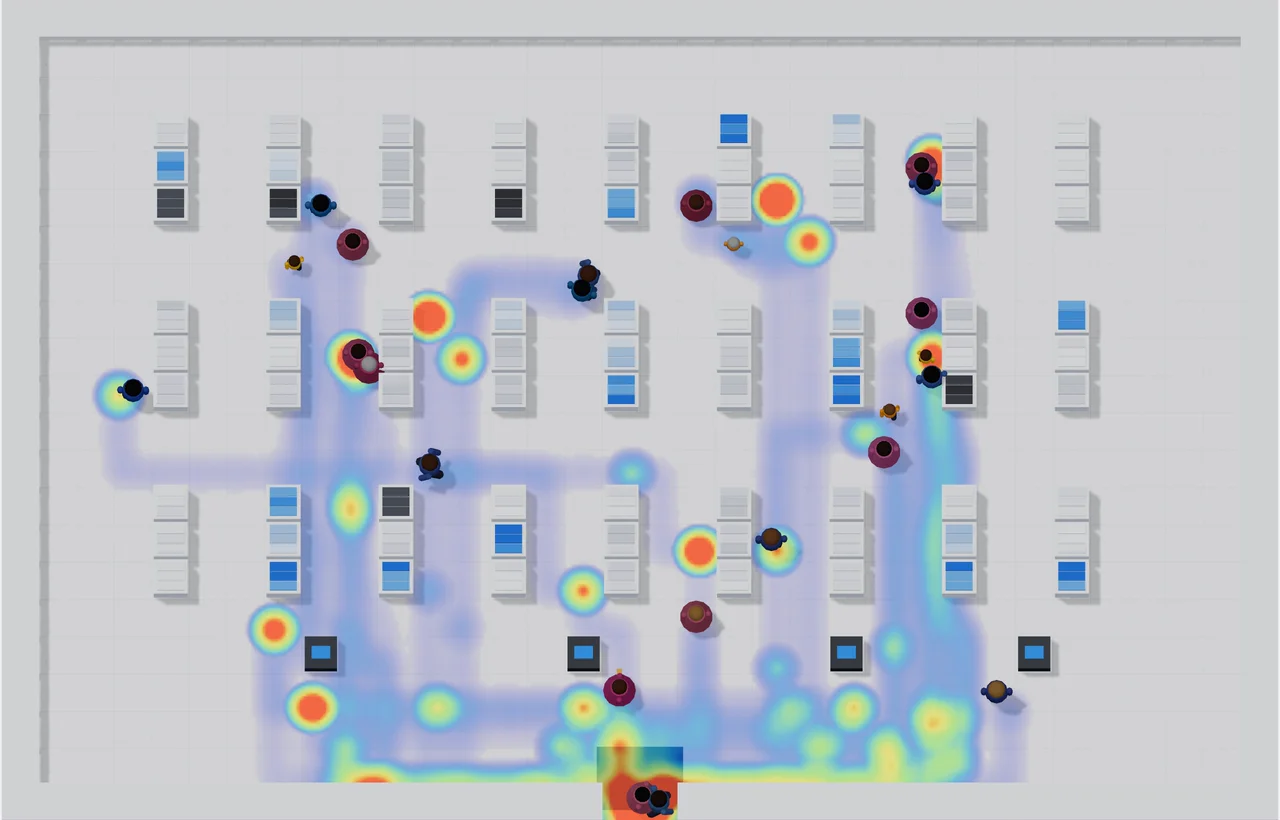
Zone counts help you make that call during a surge. If you can see one part of the front end loading up while another sits idle, a colleague can direct shoppers to the open option in real time, instead of guessing from a quick glance.
Rolling it out on existing cameras
You do not need new hardware to start. CountPort installs as software on a back-office PC, a mini-PC, or a Mac Mini, and reads the IP cameras already covering your checkout over RTSP or ONVIF. If you have a camera over the till bank, you may be most of the way there.
The video stays on-site. The system processes the footage on the premises and outputs the things you act on: live queue length, wait time, and the threshold alert. Footage does not leave the store, which keeps you in control of your own recordings.
Pricing is flat per camera, which makes it practical to cover every till bank. Lite is 29 dollars per camera per month and Pro is 39 dollars per camera per month, so you can work out the cost of the whole front end up front. The rates are on the pricing page. A sensible path is to start with one camera on your busiest till bank, prove the pattern, then scale to the rest.
The same camera-based approach works across very different venues, covered in Footfall Analytics by Industry: How Different Venues Use Visitor Data. For the queue side, Real-Time Occupancy and Queue Management: A Practical Guide and Queue Management Without Tickets or Apps: What Cameras Can Measure go deeper. The grocery and supermarket analytics page collects the use cases in one place.
Frequently asked questions
How do I know when to open another checkout lane?
Set a threshold on queue length or wait time, such as more than five people waiting or a four-minute average wait, and have the system alert a supervisor when it is crossed. The exact numbers should reflect your store size and standards, so treat the example as a starting point and refine it.
Can CountPort measure checkout queues from existing cameras?
Yes. CountPort runs as software on a back-office PC or mini-PC and reads the IP cameras already covering your checkout area to report queue length and wait time. It uses body-only detection with no facial recognition, and the video stays on-site.
Does queue measurement track individual shoppers?
No. CountPort counts how many people are waiting and how long they wait at a single camera. It does not identify anyone and does not follow shoppers between cameras.
How does reducing wait time help sales?
Shorter, well-managed queues reduce the number of shoppers who abandon a full basket and improve the experience for regulars who could shop elsewhere. Acting on a threshold before queues build is usually more effective than adding staff blindly.
See it on your own checkout
The fastest way to know what your front end is costing is to measure your own busiest till bank. If you want to see queue length, wait time, and a working open-lane alert on your own checkout footage, start a free trial and connect your checkout cameras in a few clicks.
Run this playbook on your own store
Every number in this playbook comes from the cameras you already have. Free for 30 days, and quick to set up yourself.
30 days free · No card · Set up in a few clicks
Then from $29 per camera a month