People Counting and Visitor Analytics for Restaurants and QSR
CountPort turns the overhead cameras a restaurant or quick-service venue already runs into counts of guests, queue measurements at the counter, and live readings of how full the seating area is.
Works with the cameras you already have · Anonymous · Video stays on-site
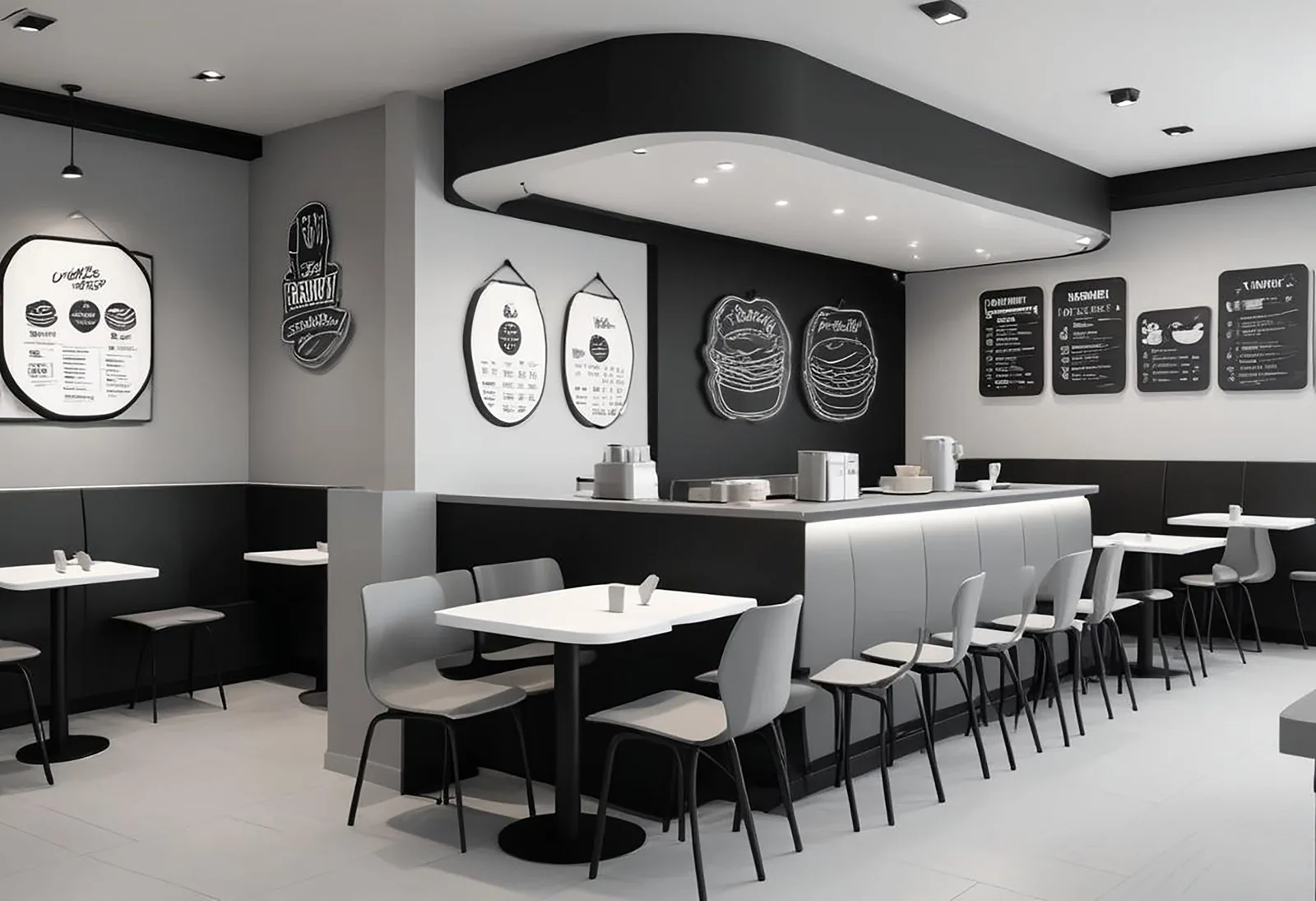
Footfall and behaviour analytics for restaurants and quick-service venues
People counting for restaurants and QSR begins with a simple question: how many guests actually came in, and when. CountPort answers it using the overhead cameras already fitted at the entrance and over the counter, counting people as they enter and leave. Couples and families are counted as the correct number of guests, and adults and children are distinguished, so the footfall figures reflect real demand rather than door swings.
From that base, restaurant footfall analytics extend to the parts of service that shape a guest's experience: the length of the counter or order queue, how long people wait before being served, and how full the dining room is at any moment. Each measurement is anonymous. Video is processed on a small computer inside the premises, the footage never leaves the building, and only the resulting numbers reach the dashboard.
Because CountPort is software running on existing cameras, a single-site bistro and a multi-branch quick-service chain can both start without new hardware. The same counts, queue readings and occupancy figures that inform today's shift can be exported for weekly review, demand forecasting and side-by-side comparison between locations.
What restaurants & qsr operators want to know.
Staffing the counter for the lunch rush
Meal-time demand arrives in sharp peaks. Without measured footfall by half-hour, rotas are set on intuition, leaving the counter understaffed at noon and overstaffed by mid-afternoon. The question is when guests actually arrive, not when managers expect them.
Queues at the counter and order points
At the order counter and collection point, a long line costs covers. Walk-aways are rarely logged anywhere, so the real scale of abandonment during peaks stays invisible and the case for a second till goes unmeasured.
Knowing how full the dining area is
Seating-area occupancy drives turnover, comfort and any capacity rules in force. Counting tables by eye is unreliable during a rush, and there is usually no record of how close the room came to full across the day.
Comparing demand across dayparts and sites
Covers, deliveries and dine-in trade vary by daypart and by branch. Without a consistent count of who walked in, it is hard to separate a quiet site from a quiet trading period, or to judge whether a promotion brought people through the door.
CountPort analytics, applied to restaurants & qsr.
Each measure runs on the overhead cameras you already have. Video is processed on-site and stays anonymous.
Count guests through the door accurately
CountPort counts people entering and leaving from overhead cameras, classifies adults and children, and counts groups as the correct number of guests. The result is a clean record of covers and footfall by hour and daypart.
Counting ›Match staffing to real meal-time peaks
Footfall measured by half-hour shows when the lunch and dinner rushes truly begin and end. Rotas, kitchen prep and till cover can be set against measured demand rather than habit, smoothing both the peak and the lull.
Counting ›Shorten waits at the counter
Queue analytics report the length of the order and collection queue, how long guests wait, and where people give up and leave. That evidence supports opening a second till at the right moment instead of after the line has already cost covers.
Queue ›See how full the dining room is
Occupancy analytics report how many guests are inside at once, with capacity limits and alerts. Managers can read the dining area in real time and review how often the venue approached full across the trading day.
Occupancy ›Understand how guests move through the space
Heatmaps show where people gather, slow down and linger, from the entrance to the counter to the seating area. That informs the placement of menu boards, self-order kiosks, condiment stations and the queue line itself.
Heatmaps ›Keep staff out of the numbers
Staff exclusion removes employees from the visitor counts, so figures reflect guests rather than servers crossing the floor or passing the counter. Footfall, occupancy and queue readings stay grounded in real customer activity.
Staff exclusion ›How CountPort works in a restaurant or quick-service venue
A typical deployment uses the cameras already mounted over the entrance, the order counter and the collection point. CountPort reads those feeds on a small computer installed inside the venue. At the door it counts guests in and out; over the counter it measures queue length and wait time; across the dining area it tracks how many people are seated at once against any capacity limit.
Nothing about the setup requires new fixtures or a change to the guest experience. The cameras stay where they are, and the only addition is the on-site processing unit. Counts, queue readings and occupancy appear on a live dashboard for the duty manager, while scheduled exports or a direct data connection feed the same figures into reporting for area managers and head office.
Because the analysis is anonymous and works from overhead views, it suits busy, fast-moving rooms. Group counting and adult-versus-child classification mean a family arriving together is recorded as the right number of covers, and staff exclusion keeps the team's own movement out of the guest figures.
Privacy: anonymous analytics on cameras you already run
CountPort does not use facial recognition and does not identify individuals. It measures movement and presence, not identity. The output is numbers, queue length, occupancy, footfall, never a name or a face on file.
Video is processed on-site, on a computer inside the premises, and the footage never leaves the building. Only the resulting counts and measurements are sent to the dashboard. For a restaurant, that means richer operational data without holding identifiable recordings of guests, and without sending video to an outside service.
The visitor profiles CountPort builds describe the anonymous mix of guests and how visit patterns change over time, for example how dine-in trade shifts between weekday lunches and weekend evenings. These are aggregate patterns, never individual tracking, and they sit alongside counting, occupancy and queue data in the same dashboard.
Getting started across one site or many
A single restaurant can begin with the entrance and counter cameras it already has, and add coverage of the seating area or a second order point later. Multi-site quick-service operators can roll the same configuration across branches, then compare footfall, queue performance and peak occupancy on a consistent basis between locations.
Pricing is published and flat per camera: Lite is 29 dollars per camera per month and Pro is 39 dollars per camera per month, so the cost of covering a venue is straightforward to estimate from the number of cameras involved. There is no separate hardware purchase beyond the on-site processing unit.
To see CountPort applied to a specific floor plan and daypart pattern, request a demo, or view pricing to size a deployment across the cameras a restaurant or chain already operates.
The numbers worth watching.
Guest count by daypart
How many people entered during breakfast, lunch and dinner, so demand is read by trading period, not guessed.
Counter queue wait time
How long guests wait at the order or collection point, the basis for deciding when to open a second till.
Queue abandonment
How many people leave the line before being served, showing the covers lost to long waits at peak.
Peak seating occupancy
The highest number of guests in the dining area at once, measured against any capacity limit set for the room.
Group size mix
How often guests arrive as singles, couples or families, useful for table planning and prep volumes.
Hourly footfall trend
The shape of demand across the day and week, used for rota planning and judging promotions.
CountPort measures people anonymously. It counts and groups visitors, never identities, and does not use facial recognition. All video is processed on-site, inside your premises, and is never uploaded; only the measurements you choose to keep are shared. This approach reduces privacy risk and simplifies data-protection review. Read privacy details ›
Explore other industries
All industries ›
Gyms & Fitness
CountPort turns the overhead cameras already inside a gym into anonymous footfall and occupancy measurements, so operators can see live capacity, busy periods and how each training area is used.
View ›
Fashion & Apparel
CountPort measures footfall, conversion and floor behaviour in clothing stores and boutiques using the overhead cameras already installed, with all video processed on-site and no facial recognition.
View ›
Grocery & Supermarkets
CountPort turns the overhead cameras a grocery store already runs into footfall, queue and aisle analytics. Video is processed on-site, and only anonymous numbers reach the dashboard.
View ›Questions about CountPort for restaurants & qsr.
Does CountPort use facial recognition to count restaurant guests?
No. CountPort does not use facial recognition and does not identify individuals. It counts people and measures movement from overhead cameras, producing anonymous numbers only. Video is processed on-site and never leaves the premises, so no faces or identities are stored or reported.
Can CountPort measure the queue at our order counter?
Yes. Queue analytics report the length of the order or collection queue, how long guests wait, and where people abandon the line. That evidence helps decide when to open a second till and how staffing affects waits during the lunch and dinner peaks.
Do we need to buy new cameras or hardware?
In most cases, no. CountPort runs on the standard overhead cameras a restaurant already has at the entrance and counter. The only addition is a small on-site computer that processes the video inside the building and sends the resulting numbers to the dashboard.
How does CountPort track how full the dining area is?
Occupancy analytics report how many guests are inside at one time, with capacity limits and alerts. Managers can read the seating area live and review how often the room approached full across the day, supporting turnover, comfort and any capacity rules in place.
Are staff counted as customers?
No. Staff exclusion keeps employees out of the visitor numbers, so footfall, occupancy and queue figures reflect guests rather than servers and counter staff moving across the floor. This keeps demand readings grounded in real customer activity.
How much does CountPort cost for a restaurant?
Pricing is published and flat per camera. Lite is 29 dollars per camera per month and Pro is 39 dollars per camera per month. The cost of covering a venue depends on how many cameras are used. View pricing to size a deployment, or request a demo for a specific site.
See guest counts, queues and occupancy for your restaurant
Request a demo to see CountPort applied to your counter and dining area, or view pricing to size a deployment across the cameras you already run.