People Counting and Footfall Analytics for Airports and Travel Retail
CountPort measures terminal flow, security and check-in queues, retail dwell and lounge occupancy using the overhead cameras a terminal already operates. All video is processed on-site and only anonymous numbers reach the dashboard.
Works with the cameras you already have · Anonymous · Video stays on-site
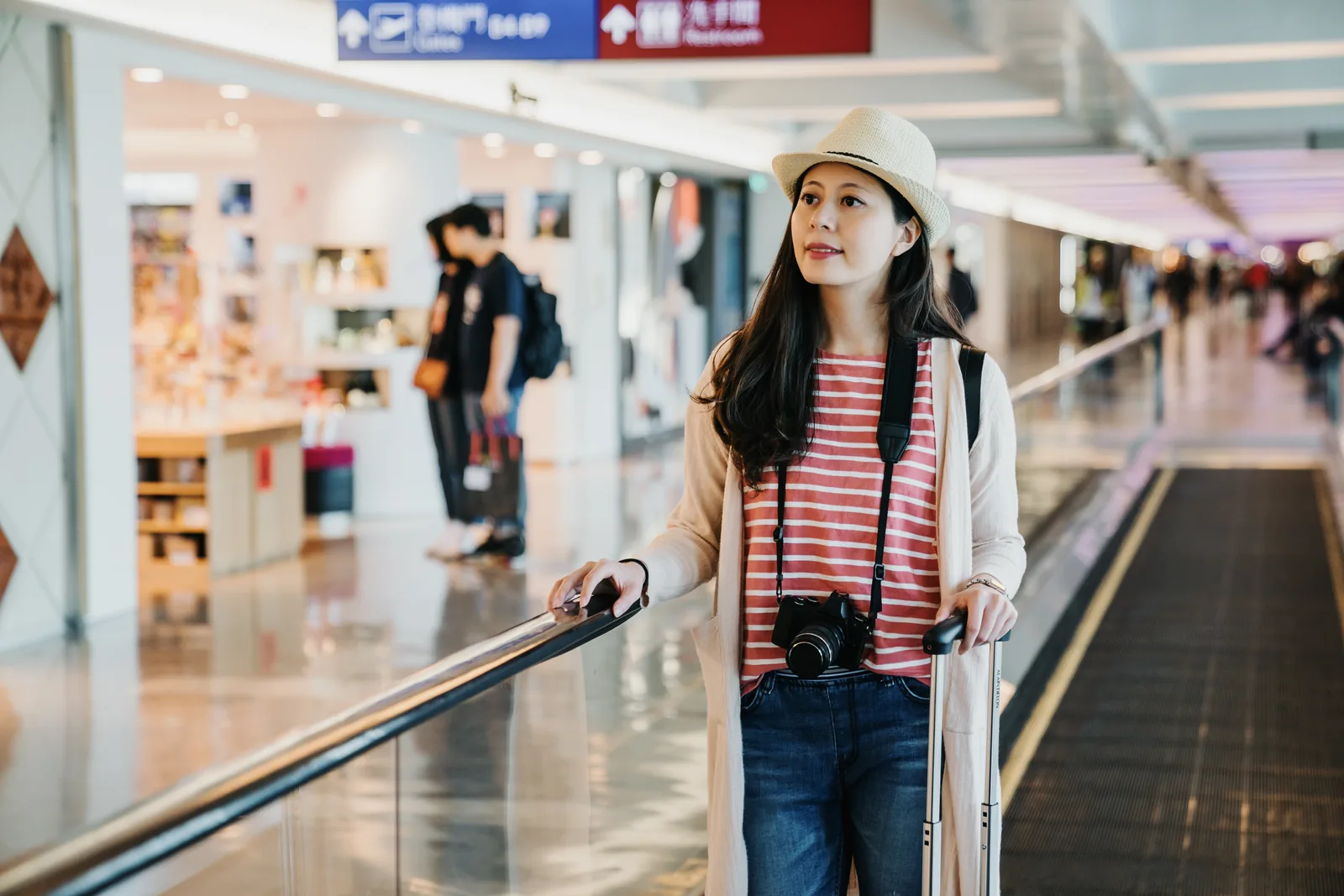
Visitor analytics for the terminal, the queue and the duty-free floor
Airports move large, uneven volumes of passengers through a fixed footprint, and the retail, security and lounge operations along that path depend on knowing where people are and how long they stay. People counting for airports and travel retail gives terminal and concession teams a measured picture of passenger flow rather than an estimate drawn from boarding figures and footfall guesses. CountPort produces that picture from cameras that are already mounted overhead.
Travel retail analytics from CountPort cover the parts of the journey that matter commercially and operationally: how many passengers pass a storefront, how long they linger in duty-free zones, how queues form at security and check-in, and how full a lounge is at a given moment. Every figure is anonymous. Video is processed inside the terminal, the footage never leaves the building, and only counts and timings are reported.
CountPort does not use facial recognition and does not identify travellers. It counts people, classifies adults and children, counts groups as the correct number of people, and keeps the resulting numbers on a live dashboard with scheduled exports. The same approach supports a concession review, a security staffing plan and a lounge capacity decision without adding hardware to the ceiling.
What airports & travel retail operators want to know.
Queues at security and check-in are felt before they are measured
Wait time at security and check-in is usually noticed only when it has already become a problem. Without a continuous measure of queue length and waiting time, staffing and lane decisions rely on observation, complaint volume and experience rather than recorded demand.
Passenger flow through the terminal is uneven and hard to read
Arrival banks, connecting traffic and schedule changes create sharp peaks and quiet troughs along the same concourse. Boarding numbers describe how many people fly, not how they move through gates, retail zones and circulation space minute by minute.
Travel retail dwell and pass-by are difficult to attribute
A duty-free hall or concourse store sees thousands of passengers, but commercial teams rarely know how many actually passed the entrance, how many slowed down inside, and which zones held attention versus which were walked straight past.
Lounge occupancy is managed by impression, not by count
Lounges have real seating and service limits, yet capacity is often judged by a glance at the room. Without a live occupancy figure, it is hard to know when a lounge is approaching its comfortable limit or when access policy is creating crowding.
CountPort analytics, applied to airports & travel retail.
Each measure runs on the overhead cameras you already have. Video is processed on-site and stays anonymous.
See real passenger flow along the concourse
CountPort counts passengers entering and leaving zones from existing overhead cameras, separating adults from children and counting families and groups as the correct number of people. The result is a measured view of terminal flow rather than an inference from flight loads.
Counting ›Cut waiting time at security and check-in
Queue analytics report queue length, waiting time and abandonment at security lanes, check-in desks and document checks. Recorded demand by hour and day lets terminal teams plan lane openings and staffing against when passengers actually arrive.
Queue analytics ›Keep lounges within a comfortable capacity
Occupancy analytics show how many people are inside a lounge at one time, with capacity limits and alerts. That gives lounge and access teams a live figure to manage seating, service pacing and entry policy against the room's real limits.
Occupancy ›Understand dwell in duty-free and retail zones
Heatmaps show where passengers slow down, gather and pass straight through on the retail floor. For a duty-free hall this distinguishes the displays that hold attention from the aisles travellers walk past on the way to the gate.
Heatmaps ›Measure store and zone performance along the path
Zones and routes report the footfall and behaviour of specific areas and the paths passengers take between them. Concession and terminal teams can compare storefronts, promotional zones and circulation routes on a common, recorded basis.
Zones & routes ›Keep staff and crew out of the numbers
Staff exclusion keeps employees, retail associates and crew out of the visitor counts, so passenger figures for a gate area, store or lounge reflect travellers rather than the people working there.
Staff exclusion ›How CountPort works in an airport terminal
CountPort connects to the standard overhead cameras already covering entrances, security halls, check-in areas, retail units and lounges. A small computer inside the terminal reads those feeds and turns them into counts and timings. There is no new hardware to mount on the ceiling and no change to the camera positions a terminal already relies on for general coverage.
From a single deployment, the same feeds support several measures at once: people counting at entrances and gates, queue length and waiting time at service points, occupancy in lounges and enclosed zones, and heatmaps and route analysis across the retail floor. Numbers appear on a live dashboard, and scheduled exports or a data connection move them into the reporting that terminal and concession teams already use.
Because the analysis runs on the cameras in place, a terminal can start with the busiest pinch points, such as a security hall or a duty-free entrance, and extend the same approach to further gates, stores and lounges as the picture proves useful.
Privacy: anonymous counting on existing cameras
CountPort is designed to be anonymous. Video is processed on-site, on a computer inside the terminal, and the footage never leaves the building. Only the resulting numbers, such as counts, queue times and occupancy levels, are sent to the dashboard. This matters in a setting where passenger privacy and security oversight are both taken seriously.
CountPort does not use facial recognition and does not identify individuals. It does not match a traveller across cameras and does not claim to count a unique person once across a whole terminal. The only person-level filtering it performs is staff exclusion, which removes employees and crew from the visitor figures. Everything else is an anonymous count of how many people are present and how they move.
Visitor profiles describe the anonymous mix and visit patterns of passengers over time, never an identity. For travel retail this supports an honest read of how demand shifts across the day, the week and the schedule, without ever tying a figure to a named person.
Getting started with travel retail analytics
A practical starting point is to choose the locations where flow and waiting are hardest to read: a security hall, a check-in concourse, a duty-free entrance and a lounge. CountPort applies counting, queue analytics, occupancy and heatmaps to those areas on the existing cameras and reports the results on one dashboard, so terminal and concession teams share the same recorded view.
Pricing is published and flat per camera. Lite is 29 dollars per camera per month and Pro is 39 dollars per camera per month, which keeps the cost of extending coverage to further gates, stores and lounges predictable. To see CountPort applied to a specific terminal or concession, request a demo, or view pricing for full per-camera detail.
The numbers worth watching.
Queue waiting time
Recorded waiting time at security and check-in, so lane and desk staffing can be planned against measured demand.
Passenger flow rate
How many people pass through a concourse or gate zone over time, showing peaks and quiet periods along the path.
Retail zone dwell
How long passengers linger in duty-free and store zones, separating displays that hold attention from pass-through aisles.
Lounge occupancy
How many people are inside a lounge at one time against its capacity limit, with alerts as the room fills.
Storefront pass-by and entries
Counts of passengers passing and entering a unit, giving concession teams a measured base for conversion review.
Queue abandonment
How often people leave a queue before being served, signalling where waiting time is driving passengers away.
CountPort measures people anonymously. It counts and groups visitors, never identities, and does not use facial recognition. All video is processed on-site, inside your premises, and is never uploaded; only the measurements you choose to keep are shared. This approach reduces privacy risk and simplifies data-protection review. Read privacy details ›
Explore other industries
All industries ›
Shopping Malls & Centers
CountPort measures total mall footfall, entrance and corridor traffic, common-area dwell and event attendance using the overhead cameras a centre already operates. All video is processed on-site and only counts reach the dashboard.
View ›
Fashion & Apparel
CountPort measures footfall, conversion and floor behaviour in clothing stores and boutiques using the overhead cameras already installed, with all video processed on-site and no facial recognition.
View ›
Grocery & Supermarkets
CountPort turns the overhead cameras a grocery store already runs into footfall, queue and aisle analytics. Video is processed on-site, and only anonymous numbers reach the dashboard.
View ›Questions about CountPort for airports & travel retail.
Does CountPort identify passengers or use facial recognition?
No. CountPort does not use facial recognition and does not identify individuals. Video is processed on-site and never leaves the terminal, and only anonymous numbers such as counts, queue times and occupancy reach the dashboard. The only person-level filtering is staff exclusion, which removes employees and crew from the figures.
Can CountPort use the cameras already installed in the terminal?
Yes. CountPort runs on the standard overhead cameras a terminal already operates over entrances, security halls, check-in areas, retail units and lounges. A small on-site computer reads those feeds. There is no new ceiling hardware and no need to reposition existing cameras.
How does CountPort measure queues at security and check-in?
Queue analytics report queue length, waiting time and abandonment at service points such as security lanes, check-in desks and document checks. Recorded demand by hour and day lets terminal teams plan lane openings and staffing against when passengers actually arrive rather than after a queue forms.
Can CountPort track lounge occupancy against a capacity limit?
Yes. Occupancy analytics show how many people are inside a lounge at one time, with capacity limits and alerts. Lounge and access teams get a live figure to manage seating, service pacing and entry policy against the room's real comfortable limit.
Does CountPort count a passenger once across the whole terminal?
No. CountPort does not de-duplicate people across cameras and does not claim to count a unique traveller once across an entire terminal. It produces anonymous counts of how many people are present in each area and how they move. Staff exclusion is the only person-level filtering it performs.
How much does CountPort cost for an airport or concession?
Pricing is published and flat per camera. Lite is 29 dollars per camera per month and Pro is 39 dollars per camera per month, which keeps the cost of extending coverage to further gates, stores and lounges predictable. View pricing for full detail or request a demo for a specific site.
See CountPort measure flow across your terminal
Request a demo to see passenger counting, queues, dwell and lounge occupancy on your existing cameras, or view pricing for flat per-camera detail.