People Counting and Visitor Analytics for Fashion Stores
CountPort measures footfall, conversion and floor behaviour in clothing stores and boutiques using the overhead cameras already installed, with all video processed on-site and no facial recognition.
Works with the cameras you already have · Anonymous · Video stays on-site
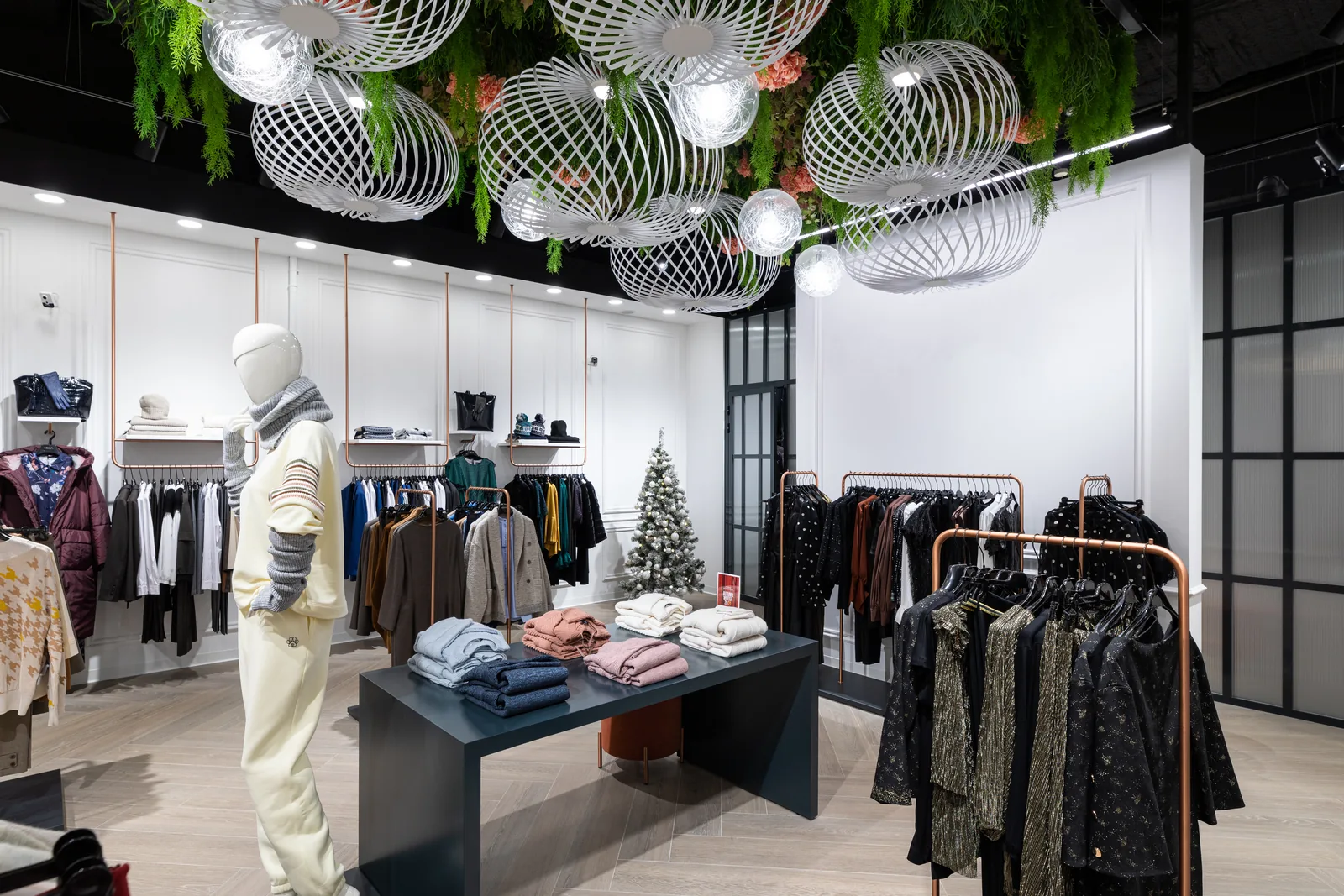
Footfall analytics built for clothing and apparel retail
People counting for fashion stores answers a question that point-of-sale data alone cannot: how many people walked in, and what share of them bought. CountPort counts visitors entering and leaving from standard overhead cameras, separates adults from children, and counts couples and families as the correct number of people. Set against transactions, those counts produce a clothing store conversion rate that is grounded in real traffic.
Boutiques and apparel chains share a common rhythm of window-display pull-in, fitting-room demand and shifting peak hours. CountPort reads each of these as measured behaviour rather than estimate. Retail footfall analytics for apparel runs on the cameras a store already owns, processes the video on-site, and reports only numbers, so visitor counting never depends on identifying anyone.
What fashion & apparel operators want to know.
Traffic and conversion are measured separately
Most apparel stores track sales closely but estimate footfall by eye. Without a reliable visitor count, conversion rate is guesswork, and a slow day cannot be told apart from a quiet door.
Fitting rooms congest at unpredictable times
Fitting-room demand rises in waves that rarely match the sales floor. When the queue at the cabins grows unseen, shoppers abandon garments they were close to buying, and the loss never reaches a report.
Window displays are changed on instinct
Visual merchandising teams refresh windows without knowing whether the last display actually drew people in. The link between a window change and the number of people who entered is usually invisible.
Staffing rarely matches the real peak
Rotas are built on sales history and habit, not on when people are physically in the store. Peak-hour staffing drifts out of step with footfall, leaving busy periods thin and quiet ones overstaffed.
CountPort analytics, applied to fashion & apparel.
Each measure runs on the overhead cameras you already have. Video is processed on-site and stays anonymous.
Measure conversion against real footfall
CountPort counts everyone who enters and leaves, so a clothing store conversion rate can be calculated from traffic rather than estimated. Comparing visitor counts with transactions shows whether a slow day was a footfall problem or a selling one.
Counting ›Read window-display pull-in
By tracking entries through the door, CountPort shows how many people a window draws inside. Visual merchandising teams can compare footfall before and after a display change and keep the windows that bring people in.
Counting ›See where shoppers slow down on the floor
Heatmaps reveal which rails, tables and zones attract attention and where people pass straight through. That makes it possible to place new ranges and promoted lines where shoppers naturally gather.
Heatmaps ›Merchandise zones by how they perform
Zones and routes measure the pull of specific areas, such as a denim wall or a new-season corner, and the paths shoppers take between them. Underused zones become visible and can be re-merchandised with evidence.
Zones & routes ›Catch fitting-room queues before they cost sales
Queue analytics measure how long shoppers wait at the fitting rooms and how often they give up. Knowing when cabins back up lets a store add staff at the right moment instead of after the loss.
Queue ›Staff to the real peak hours
Counting by hour and day shows when the store is genuinely busy, so rotas follow footfall rather than habit. Peak-hour staffing lines up with the moments shoppers need help on the floor and at the till.
Counting ›How CountPort works in a clothing store
CountPort connects to the overhead cameras a store already has at the entrance, over the sales floor and near the fitting rooms. A small computer inside the premises reads those feeds and turns them into counts of people, movement and dwell. No new cameras are required, and the door count, floor heatmaps and fitting-room queue all come from the same hardware the store already runs.
The results appear on a live dashboard and can be exported on a schedule or sent to another system through a data connection. A boutique can watch conversion and occupancy through the day, while an apparel chain can compare branches on the same measures. Because every store reports the same numbers, regional and head-office teams review footfall, zone performance and queues on a consistent basis.
Staff exclusion keeps employees out of the visitor figures, so a busy shift floor does not inflate the count. This is the only person-level filtering CountPort performs, and it is applied per camera. CountPort does not match a shopper from one camera to another and does not claim to count each visitor once across the whole store.
Privacy on the cameras you already run
CountPort is anonymous by design. All video is processed on the small on-site computer, the footage never leaves the building, and only the resulting numbers reach the dashboard. The system does not use facial recognition and does not identify individuals, which suits the open, customer-facing nature of an apparel floor.
Visitor profiles describe the anonymous mix of visitors and how visit patterns change over time, such as the balance of adults and children or how quiet mornings compare with busy afternoons. These are aggregate patterns, never identities. A store gains the behavioural picture it needs for merchandising and staffing without holding anything that could single out a shopper.
Getting started
A typical deployment begins with a review of the existing camera layout to confirm coverage of the entrance, the main floor and the fitting-room area. Where overhead cameras are already positioned for those points, CountPort can usually work with them directly, and any gaps are identified before installation rather than after.
Pricing is published and flat per camera, so the cost of covering a store is predictable from the camera list. CountPort Lite is 29 US dollars per camera per month and Pro is 39 US dollars per camera per month. To see the analytics against a real apparel floor, request a demo, and to plan a rollout across one shop or a chain, view pricing.
The numbers worth watching.
Conversion rate
Transactions as a share of counted visitors, showing how well an apparel store turns footfall into sales.
Footfall by hour
Entries through the day, revealing the true peak hours that rotas and openings should follow.
Window pull-in
Entries measured before and after a display change, indicating how strongly a window draws shoppers in.
Fitting-room wait and abandonment
Time spent waiting at the cabins and how often shoppers give up, flagging lost sales at the fitting rooms.
Zone engagement
How much attention each area of the floor attracts, guiding where new ranges and promotions are placed.
Live occupancy
How many people are inside at once, with capacity limits and alerts for busy trading periods.
CountPort measures people anonymously. It counts and groups visitors, never identities, and does not use facial recognition. All video is processed on-site, inside your premises, and is never uploaded; only the measurements you choose to keep are shared. This approach reduces privacy risk and simplifies data-protection review. Read privacy details ›
Explore other industries
All industries ›
Grocery & Supermarkets
CountPort turns the overhead cameras a grocery store already runs into footfall, queue and aisle analytics. Video is processed on-site, and only anonymous numbers reach the dashboard.
View ›
Electronics & Big-Box
CountPort turns the overhead cameras already installed in an electronics or big-box store into anonymous footfall and behaviour analytics, measuring how departments fill, where demo stations draw attention and how many big-ticket visits reach a counter.
View ›
Department Stores
CountPort turns the overhead cameras a department store already operates into footfall and behaviour analytics, measuring each entrance, every floor and individual concessions without new hardware.
View ›Questions about CountPort for fashion & apparel.
How does CountPort measure conversion rate in a clothing store?
CountPort counts every visitor entering and leaving from the overhead cameras at the door. Set that footfall against transactions from the till, and the result is a clothing store conversion rate based on real traffic rather than an estimate of how busy the day felt.
Does CountPort use facial recognition or identify shoppers?
No. CountPort does not use facial recognition and does not identify individuals. All video is processed on a small computer inside the store, the footage never leaves the building, and only anonymous numbers reach the dashboard.
Can it work with the cameras my store already has?
In most cases, yes. CountPort runs on standard overhead cameras already installed at the entrance, over the floor and near the fitting rooms. No new hardware is needed where existing cameras cover those points, and any coverage gaps are identified before installation.
How does CountPort help with fitting-room queues?
Queue analytics measure how long shoppers wait at the fitting rooms and how often they abandon the queue. Seeing when the cabins back up lets a store add staff at the right moment, reducing the chance that a near-sale walks out.
Does CountPort count each visitor once across all the store's cameras?
No. CountPort does not match a person from one camera to another and does not claim unique counting across cameras. The only person-level filtering it performs is staff exclusion, which keeps employees out of the visitor figures on each camera.
What does CountPort cost for an apparel store?
Pricing is published and flat per camera. CountPort Lite is 29 US dollars per camera per month and Pro is 39 US dollars per camera per month, so the cost of covering a store follows directly from its camera count. View pricing for the full detail.
See your store's footfall and conversion
Request a demo to view CountPort against a real apparel floor, or view pricing to plan a rollout across one boutique or a chain.