People Counting and Footfall Analytics for Shopping Malls
CountPort measures total mall footfall, entrance and corridor traffic, common-area dwell and event attendance using the overhead cameras a centre already operates. All video is processed on-site and only counts reach the dashboard.
Works with the cameras you already have · Anonymous · Video stays on-site
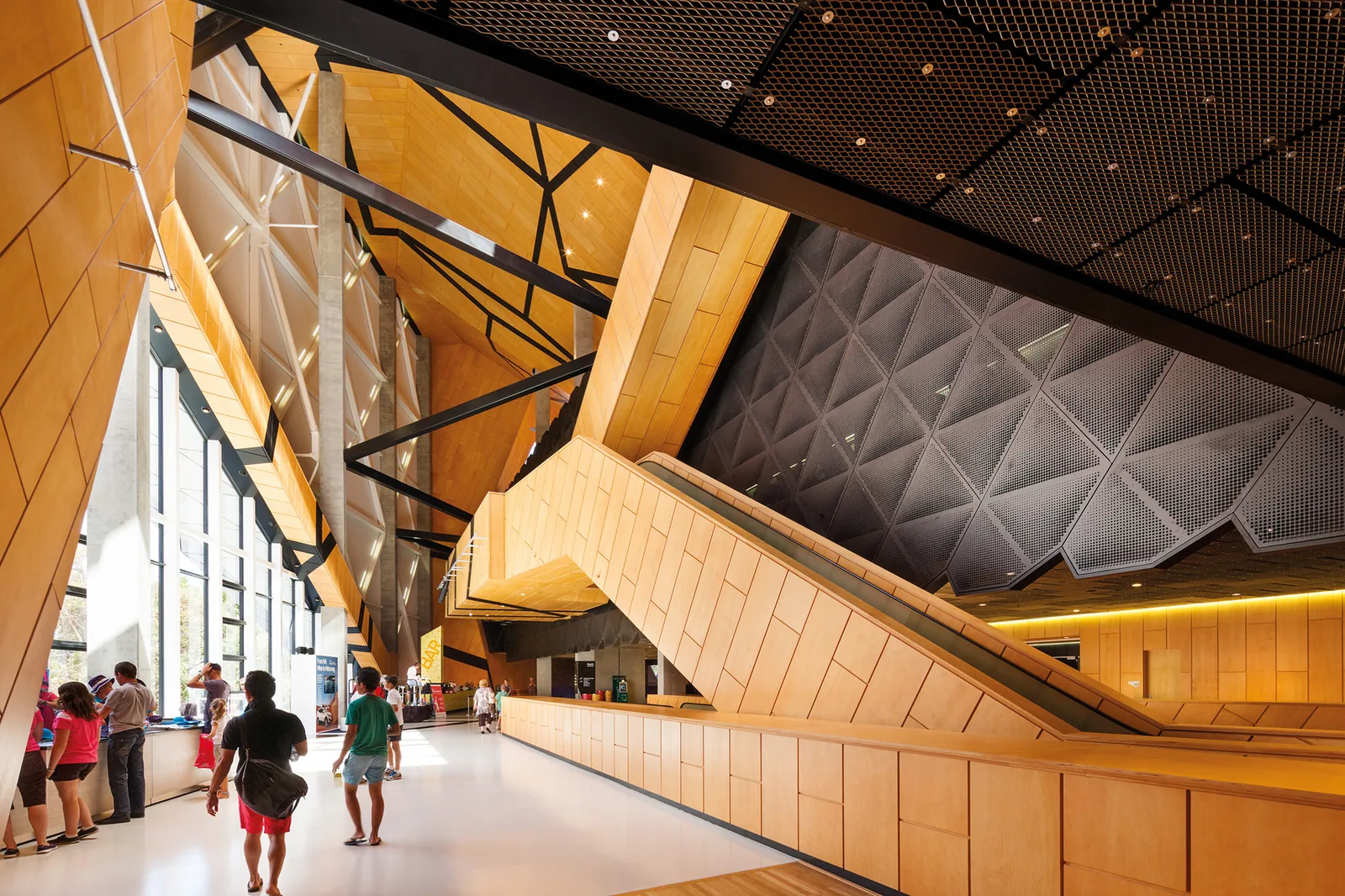
Footfall analytics for shopping centres, measured on existing cameras
People counting for shopping malls gives a centre management team an evidence base for almost every decision it makes, from leasing negotiations to cleaning rotas. CountPort reads the standard overhead cameras at mall entrances, in corridors and across common areas, and converts those feeds into footfall numbers. The video is processed on a small computer inside the building and never leaves the premises, so the method stays anonymous.
Most shopping centres already run extensive camera coverage for security. CountPort adds a measurement layer to that hardware rather than asking for new sensors at every door. The result is mall visitor counting that distinguishes adults from children and counts a family or couple as the correct number of people, alongside occupancy, heatmaps, zone performance and queue measurement that management and leasing teams can act on.
Because CountPort reports counts rather than identities, it supports footfall analytics, tenant benchmarking and event measurement without facial recognition. Pricing is published and flat per camera, which makes the cost of covering a large centre predictable from the outset rather than a per-quote unknown.
What shopping malls & centers operators want to know.
No reliable figure for total mall footfall
Door greeters and one-off manual counts cannot cover every entrance of a large centre at once, and gate-style sensors miss groups. Management often works from estimates rather than a consistent daily count of visitors entering the mall.
Entrances and corridors perform unequally
Some doors and walkways carry far more traffic than others, but without measurement it is hard to know which. That gap affects where promotional space, signage, cleaning effort and security attention are placed across the site.
Leasing conversations lack shared data
Tenants want proof of the traffic passing their unit, and leasing teams need comparable figures across locations to set rents and justify them. Anecdotes about a corridor being busy are difficult to defend in a negotiation.
Events and campaigns are hard to value
A seasonal display, a pop-up or a holiday weekend is expected to draw people, yet centres rarely have a clean before-and-after count of attendance and dwell in the affected area to show whether it worked.
CountPort analytics, applied to shopping malls & centers.
Each measure runs on the overhead cameras you already have. Video is processed on-site and stays anonymous.
Establish a consistent total footfall figure
CountPort counts people entering and leaving at every monitored entrance, classifying adults and children and counting groups as the right number of people. That gives centre management a daily and hourly footfall baseline to plan against and report to stakeholders.
Counting ›Compare entrance and corridor traffic
Counts at each door and along main corridors show which routes carry the most people and how that shifts by hour, day and season. Management can rebalance signage, cleaning, security cover and promotional placement toward the busiest paths.
Zones & routes ›Benchmark traffic for leasing
Zone-level counts give leasing teams comparable footfall figures for the area in front of each unit or wing. Those numbers support rent discussions, renewal cases and tenant reporting with a shared measurement rather than estimates.
Zones & routes ›See where people gather and dwell
Heatmaps show where shoppers slow down and cluster across atriums, food courts and common areas. That reveals which spaces hold attention, where seating or displays work, and which corners stay quiet despite passing traffic.
Heatmaps ›Monitor occupancy against capacity
Occupancy analytics report how many people are inside at once, with capacity limits and alerts. Centre operations and security can watch live numbers on busy weekends and during events, and review them afterward.
Occupancy ›Measure events and campaigns
By comparing counts and dwell before, during and after a display, pop-up or promotion, CountPort gives a measured read on attendance in the affected zones rather than a guess, supporting decisions on which activations to repeat.
Heatmaps ›How CountPort works across a shopping centre
A centre selects which cameras to include: entrance doors for footfall, main corridors and atriums for flow, food courts and common areas for dwell, and service points such as customer-service desks or parking pay stations for queues. CountPort reads those existing overhead feeds and turns them into counts, occupancy levels and movement patterns without new cameras at each location.
Processing happens on a small computer installed inside the mall. The camera video stays on that machine and is converted to numbers locally, so only counts and aggregate figures travel to the dashboard. Management sees live figures and trends, and the same data can be sent out on a schedule or through a data connection into reporting and leasing systems.
Coverage can grow over time. A centre might begin with entrances to fix its total footfall figure, then add corridors for tenant benchmarking and common areas for dwell as the value becomes clear. Because pricing is flat per camera, the cost of each additional area is known in advance.
Anonymous measurement on the cameras you already run
CountPort does not use facial recognition and does not identify individuals. It reports how many people pass, how many are inside and where they move, never who they are. For a venue with heavy public footfall and many tenants, that distinction matters: the centre gains operational data while visitors remain anonymous.
All video is processed on-site and the footage never leaves the building. The dashboard holds counts and patterns, not recordings of shoppers. Visitor profiles describe the anonymous mix and visit patterns over time, such as how adult and child traffic shifts through the week, without ever attaching that to a person.
Staff exclusion keeps cleaners, security and retail employees moving through common areas out of the visitor totals, so footfall and tenant benchmarks reflect actual shoppers. This is the only person-level filtering CountPort performs; it does not match or de-duplicate the same visitor across different cameras.
Getting started and what it costs
Getting started begins with a short review of the centre's existing camera layout to confirm which entrances, corridors and common areas can be measured from current angles. Overhead-facing cameras at doorways and over walkways are the most useful for counting and flow, and many malls already have suitable coverage from their security installation.
Pricing is published and flat per camera. CountPort Lite is 29 dollars per camera per month and CountPort Pro is 39 dollars per camera per month. For a large centre, that turns the cost of footfall measurement into a straightforward calculation based on how many cameras are included, with no bespoke quote needed to understand the figure.
To see the dashboard, the entrance and corridor counting, the heatmaps and the occupancy view applied to a layout like your own, request a demo. To plan a rollout across a number of doors and zones, view pricing and work from the per-camera rate.
The numbers worth watching.
Total mall footfall
People entering and leaving across all monitored doors, giving a consistent daily and hourly count for the whole centre.
Entrance traffic share
How visits split across entrances, showing which doors and approaches carry the most people through the day.
Corridor and zone traffic
Counts along main walkways and in front of units, used for flow planning and tenant footfall benchmarking.
Common-area dwell
Where shoppers slow down and gather in atriums, food courts and seating, read from heatmaps over time.
Live occupancy
How many people are inside at once against a capacity limit, with alerts for busy weekends and events.
Event attendance lift
Counts and dwell before, during and after a display or promotion, measuring its draw in the affected area.
CountPort measures people anonymously. It counts and groups visitors, never identities, and does not use facial recognition. All video is processed on-site, inside your premises, and is never uploaded; only the measurements you choose to keep are shared. This approach reduces privacy risk and simplifies data-protection review. Read privacy details ›
Explore other industries
All industries ›
Airports & Travel Retail
CountPort measures terminal flow, security and check-in queues, retail dwell and lounge occupancy using the overhead cameras a terminal already operates. All video is processed on-site and only anonymous numbers reach the dashboard.
View ›
Fashion & Apparel
CountPort measures footfall, conversion and floor behaviour in clothing stores and boutiques using the overhead cameras already installed, with all video processed on-site and no facial recognition.
View ›
Grocery & Supermarkets
CountPort turns the overhead cameras a grocery store already runs into footfall, queue and aisle analytics. Video is processed on-site, and only anonymous numbers reach the dashboard.
View ›Questions about CountPort for shopping malls & centers.
Does CountPort give a single total footfall figure for the whole mall?
CountPort counts entries and exits at each monitored entrance and sums them into a centre-wide footfall figure by hour and day. It counts groups as the correct number of people. It does not match the same individual across different cameras, so the total reflects entrances measured, not a unique-person count.
Can CountPort help with tenant benchmarking for leasing?
Yes. Zone and corridor counts give comparable traffic figures for the area in front of each unit or wing. Leasing teams can use those numbers to support rent discussions, renewals and tenant reporting with a shared measurement rather than estimates, all without identifying any shopper.
Does CountPort use facial recognition or identify shoppers?
No. CountPort does not use facial recognition and does not identify individuals. Video is processed on a small computer inside the mall, the footage never leaves the building, and only counts and aggregate patterns reach the dashboard. The method is anonymous throughout.
Do we need to install new cameras across the centre?
In most cases, no. CountPort runs on the standard overhead cameras a mall already operates for security, provided the angles suit counting at doors and over corridors. A short review of the existing layout confirms which entrances and areas can be measured before anything is added.
How does CountPort measure the impact of an event or display?
CountPort compares counts and dwell in the affected zones before, during and after the activation. Heatmaps show where attention concentrated and counting shows how traffic changed, giving a measured read on attendance rather than an estimate of whether the event drew people.
What does people counting for shopping malls cost?
Pricing is published and flat per camera. CountPort Lite is 29 dollars per camera per month and Pro is 39 dollars per camera per month. The total for a centre depends on how many entrances, corridors and common areas are included, so the cost is predictable from the camera count.
Measure your centre on the cameras you already run
Request a demo to see entrance, corridor and common-area footfall on a mall layout, or view pricing to plan a rollout at the flat per-camera rate.