People counting and footfall analytics for bank branches
CountPort turns the overhead cameras already installed in a bank or credit-union branch into anonymous footfall, queue and occupancy data, so branch and network teams can staff to real demand.
Works with the cameras you already have · Anonymous · Video stays on-site
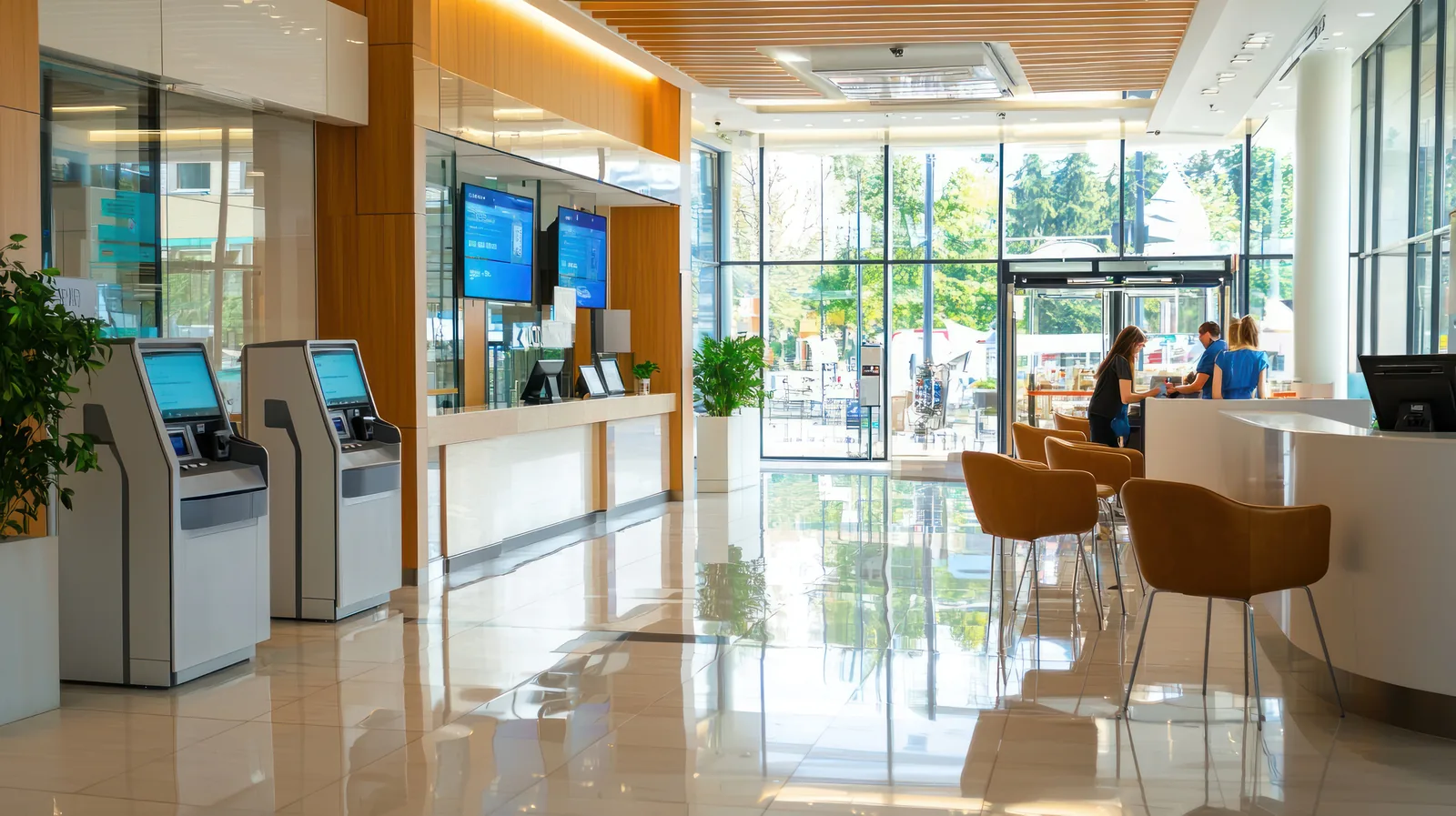
Branch analytics measured on the cameras you already own
People counting for bank branches gives network and branch managers a reliable record of how many customers walk in, when they arrive and how long they wait. CountPort reads the standard overhead cameras a branch already has and reports anonymous numbers to a dashboard. No facial recognition is used, and no individual is identified. The result is branch footfall analytics that describe demand rather than people.
Most branches still plan teller and advisor cover from card transactions, appointment logs or memory. None of those records the customers who entered, queued, were served at a counter or left without being helped. Bank branch visitor counting fills that gap. By measuring arrivals, occupancy and queues directly, CountPort lets a branch match opening cover, advisor availability and self-service capacity to the hours that are genuinely busy.
Because all processing happens on a small computer inside the branch, video never leaves the building and only counts reach the dashboard. That on-site model suits the privacy expectations of a regulated financial environment, while still giving head-office teams the branch network benchmarking they need to compare formats fairly.
What banking & financial branches operators want to know.
Staffing to demand, not to the rota
Teller and advisor cover is often fixed week to week, while arrivals vary by day, hour and season. Without measured branch footfall, quiet mornings are overstaffed and lunchtime peaks leave customers queuing at the counter.
Queues that nobody is measuring
A line at the teller window or a wait for an advisor is the clearest sign of a stretched branch, yet most have no record of queue length, wait time or how many customers leave before being served.
Comparing branches that are not alike
Branches differ in size, location and customer mix, so raw transaction counts make poor comparisons. Benchmarking a network needs a consistent footfall measure that is recorded the same way at every site.
Knowing whether a branch is busy or just full
During peak periods or disruption, branch teams need to know how many people are inside at once, not just how many transactions ran, so they can manage occupancy and self-service flow safely.
CountPort analytics, applied to banking & financial branches.
Each measure runs on the overhead cameras you already have. Video is processed on-site and stays anonymous.
Count every customer who walks in
CountPort counts customers entering and leaving from the overhead cameras at the branch door, with adult and child classification and group counting so a family arriving together is recorded as the right number of people.
Counting ›Staff tellers and advisors to real demand
Hour-by-hour arrival patterns show when the branch is genuinely busy. Branch and network managers can then schedule teller windows and advisor appointments around measured peaks instead of a fixed rota.
Visitor profiles ›Cut waits at the counter and advisor desk
Queue analytics measure line length, wait time and how many customers abandon the queue at tellers, the help desk or an advisor area, so understaffed periods are visible and can be corrected.
Queue analytics ›Manage branch occupancy safely
Occupancy analytics report how many people are inside the branch at any moment, with capacity limits and alerts that help teams keep the banking hall and waiting area comfortable during peaks.
Occupancy ›See how customers move through the hall
Heatmaps show where customers gather, slow down and wait, while zones and routes report the use of the teller line, self-service area, advisor desks and brochure stands, informing branch layout decisions.
Heatmaps ›Keep staff out of the numbers
Staff exclusion removes employees moving around the branch from the visitor counts, so footfall and queue figures reflect customers rather than tellers, advisors and back-office colleagues passing through.
Staff exclusion ›How CountPort works inside a bank branch
CountPort connects to the overhead cameras a branch already runs for security. A small computer installed on-site reads those feeds and turns them into counts: arrivals at the door, occupancy in the hall, queues at the teller line and advisor area, and movement across zones. The branch keeps its existing hardware, so there are no new sensors at the entrance and no separate counting device to maintain.
Numbers are sent to a live dashboard, with scheduled exports or a data connection for teams that want branch figures inside their own reporting. A duty manager can watch occupancy and queues through the day, while a network team reviews footfall trends across every branch from one place. Pricing is published and flat per camera, at 29 US dollars per camera per month for Lite and 39 US dollars for Pro, so the cost of a branch is easy to predict from its camera count.
Privacy in a regulated environment
Financial branches handle sensitive interactions, and customers expect discretion. CountPort is built to count people, not to recognise them. It does not use facial recognition and does not identify individuals. Every camera feed is processed on the small computer inside the branch, the video never leaves the building, and only anonymous numbers are sent onward to the dashboard.
Because the figures are aggregate counts of arrivals, occupancy and queues, branch footfall analytics can be shared across a network and reviewed by head office without exposing anyone's identity. CountPort also does not match a person across separate cameras, so it cannot and does not claim to track an individual customer through the branch. The data describes how the space is used, which is what staffing and layout decisions actually require.
Benchmarking a branch network on one consistent measure
A branch network is only comparable when every site is measured the same way. CountPort records arrivals, occupancy and queues with the same method at each branch, giving a consistent footfall measure that holds up across formats, locations and opening hours. Network teams can then rank branches, spot quiet sites and identify those running hot at the counter.
Pairing footfall with transactions or appointments shows how effectively each branch turns visits into served customers, and where waits are costing the branch business. Over time, the same record reveals branch footfall trends through the week and the year, supporting decisions on opening hours, advisor coverage and which formats deserve investment. To see the data on your own branches, request a demo, or view pricing to estimate the cost from your camera count.
The numbers worth watching.
Branch footfall
Total customers entering each branch by hour and day, the base measure for staffing and network benchmarking.
Teller queue wait time
How long customers wait at the counter, revealing when teller cover falls short of arrivals.
Advisor queue length
People waiting for an advisor or appointment, showing where service capacity needs adjusting.
Queue abandonment
How many customers leave before being served, a direct signal of lost branch business at peaks.
Peak occupancy
The highest number of people inside the branch at once, used to manage capacity and waiting-area comfort.
Visit-to-service ratio
Measured footfall set against transactions or appointments, showing how well each branch converts visits.
CountPort measures people anonymously. It counts and groups visitors, never identities, and does not use facial recognition. All video is processed on-site, inside your premises, and is never uploaded; only the measurements you choose to keep are shared. This approach reduces privacy risk and simplifies data-protection review. Read privacy details ›
Explore other industries
All industries ›
Automotive Dealerships
CountPort turns the overhead cameras already in a dealership showroom into anonymous footfall and behaviour analytics. It measures how many people visit, which models draw attention and how showroom traffic converts into test drives.
View ›
Fashion & Apparel
CountPort measures footfall, conversion and floor behaviour in clothing stores and boutiques using the overhead cameras already installed, with all video processed on-site and no facial recognition.
View ›
Grocery & Supermarkets
CountPort turns the overhead cameras a grocery store already runs into footfall, queue and aisle analytics. Video is processed on-site, and only anonymous numbers reach the dashboard.
View ›Questions about CountPort for banking & financial branches.
Does CountPort use facial recognition in a bank branch?
No. CountPort does not use facial recognition and does not identify any customer or employee. It counts people anonymously from overhead cameras. All video is processed on a small computer inside the branch, the footage never leaves the building, and only aggregate numbers reach the dashboard.
Do we need to install new cameras or counters?
No. CountPort works with the standard overhead cameras a branch already has. A small on-site computer reads those existing feeds, so there is no new entrance hardware, no separate counting device and no change to the camera setup the branch already maintains.
Can CountPort measure teller and advisor queues?
Yes. Queue analytics report queue length, wait time and abandonment at service points such as the teller line, the help desk and advisor areas. This shows when cover is short of demand, helping branches reduce waits and the customers who leave before being served.
How does CountPort help with branch network benchmarking?
CountPort records footfall, occupancy and queues with the same method at every branch, giving one consistent measure across the network. Teams can then compare branches fairly, set footfall against transactions or appointments, and track trends to guide staffing, opening hours and format decisions.
Does CountPort track an individual customer across the branch?
No. CountPort does not match a person across separate cameras and does not follow any individual through the branch. It reports anonymous, aggregate counts of arrivals, occupancy, queues and movement between zones, which is what staffing and layout planning need without identifying anyone.
How is CountPort priced for a branch?
Pricing is published and flat per camera. Lite is 29 US dollars per camera per month and Pro is 39 US dollars per camera per month, so the cost of a branch follows directly from how many cameras it uses. View pricing for the full detail, or request a demo to see the data on your own branches.
See branch footfall on the cameras you already own
Request a demo to view anonymous footfall, queue and occupancy data for your branches, or view pricing to estimate the cost from your camera count.